



Vitepress 框架深入学习
框架简介
说明
Vitepress是一个由Vite和Vue驱动的静态站点生成器,可以用Markdown快速创建精美的文档站点。
布局概览
提示
Vitepress 框架的界面布局分为导航栏、内容区、页脚三大部分。
内容区则根据页面布局 layout 属性来决定具体的布局方式,layout 可以由 markdown 文件的 frontmatter 传入。
下面是布局总览图:
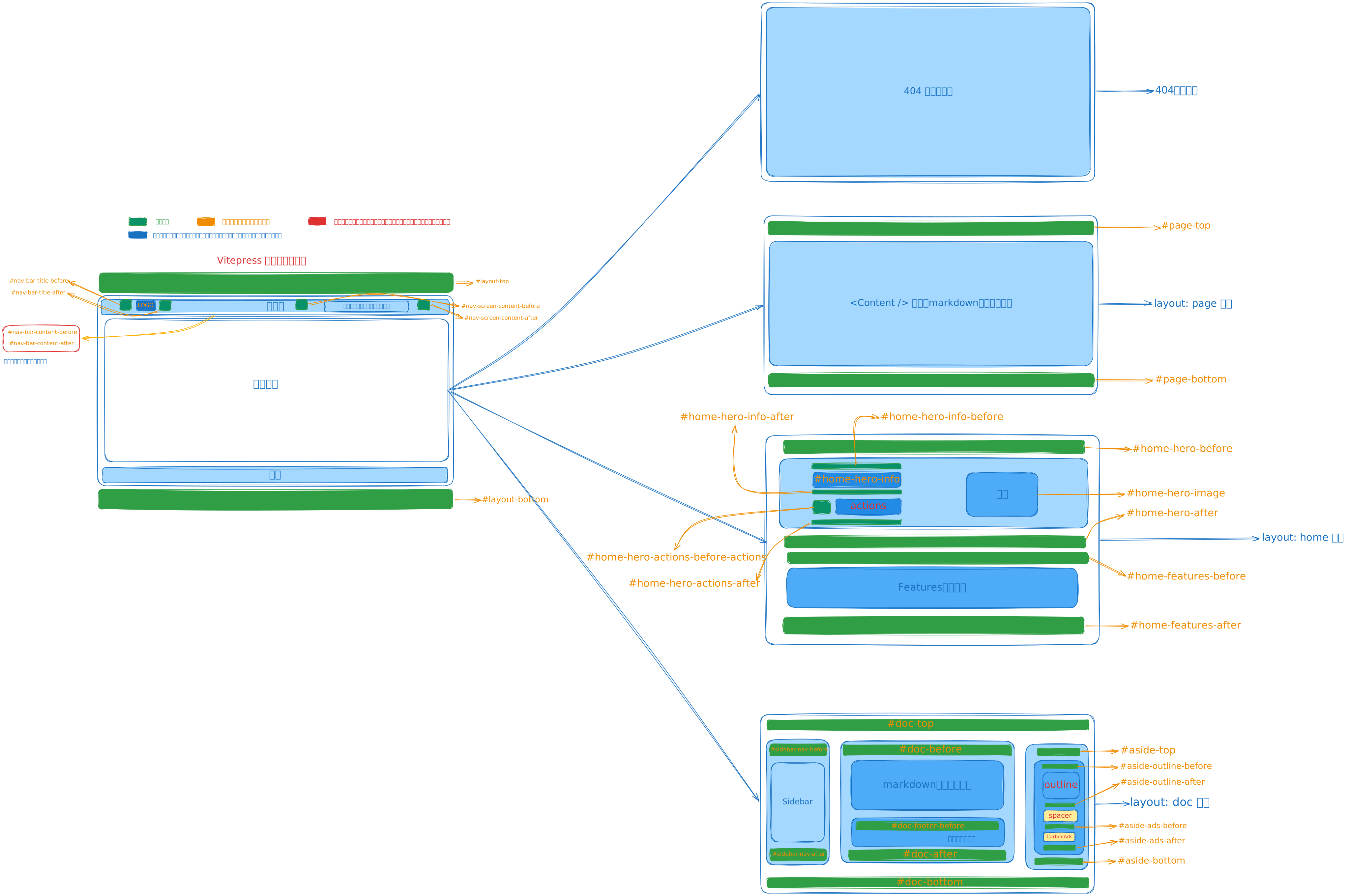
在官方源码中,Layout.vue 组件为入口文件,负责整个页面的布局,并将子组件的插槽全部暴露在自己身上对外提供,以实现扁平化插槽管理,让他人想要扩展主题变得更加方便。
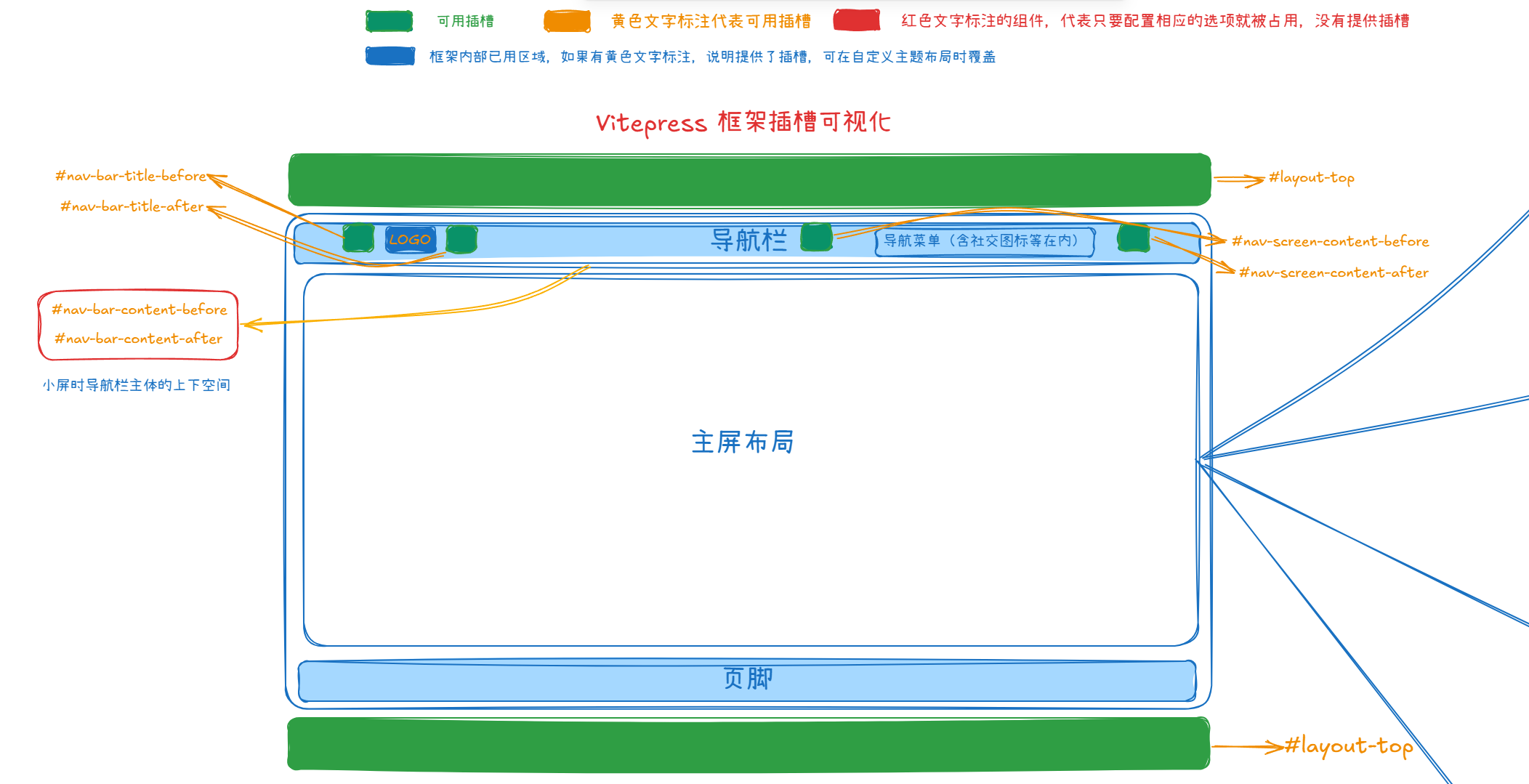
内容区是 <VPContent /> 组件负责维护。内容区具体的布局方式,首先会判断是否找不到具体页面,当找不到页面时,那么就会进入 404 页面 提示用户。
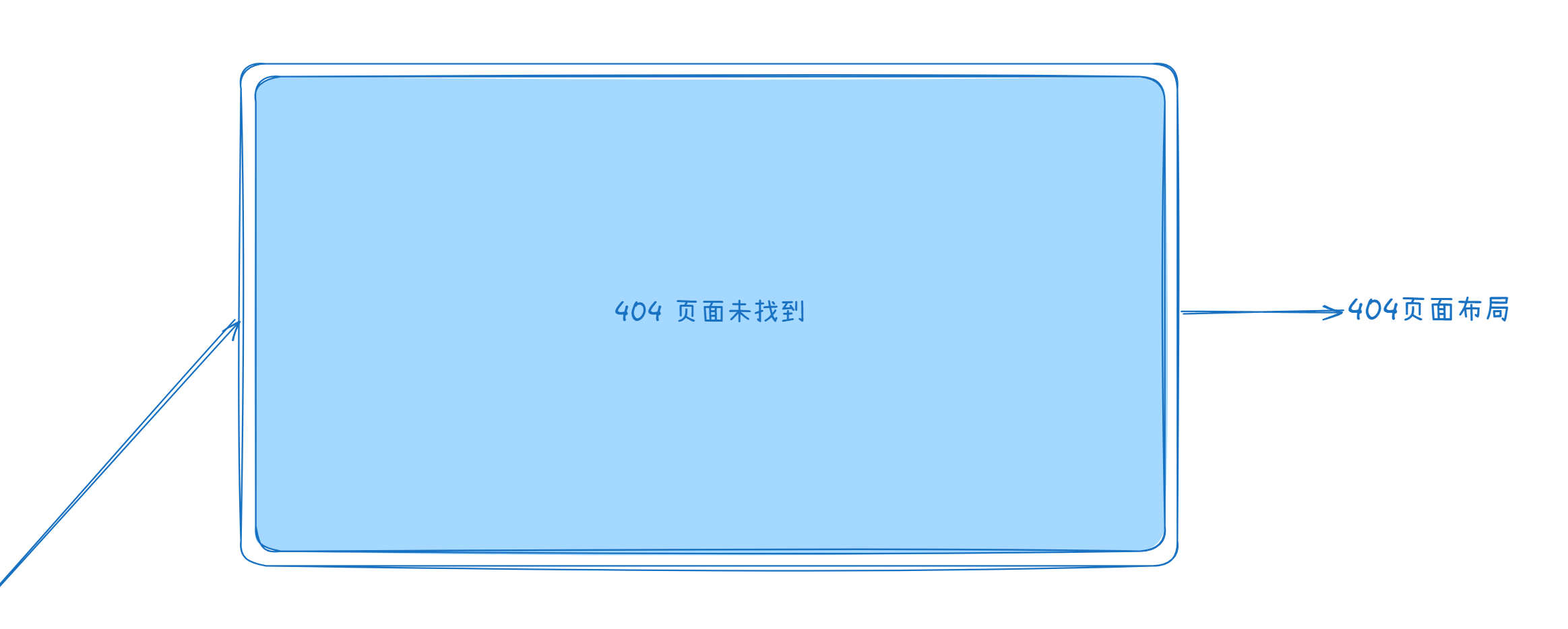
其次,如果用户是要自定义页面,那么需要在 markdown 文件的 frontmatter 块中传入 layout: page 属性,此时内容区则会进入自定义页面模式。
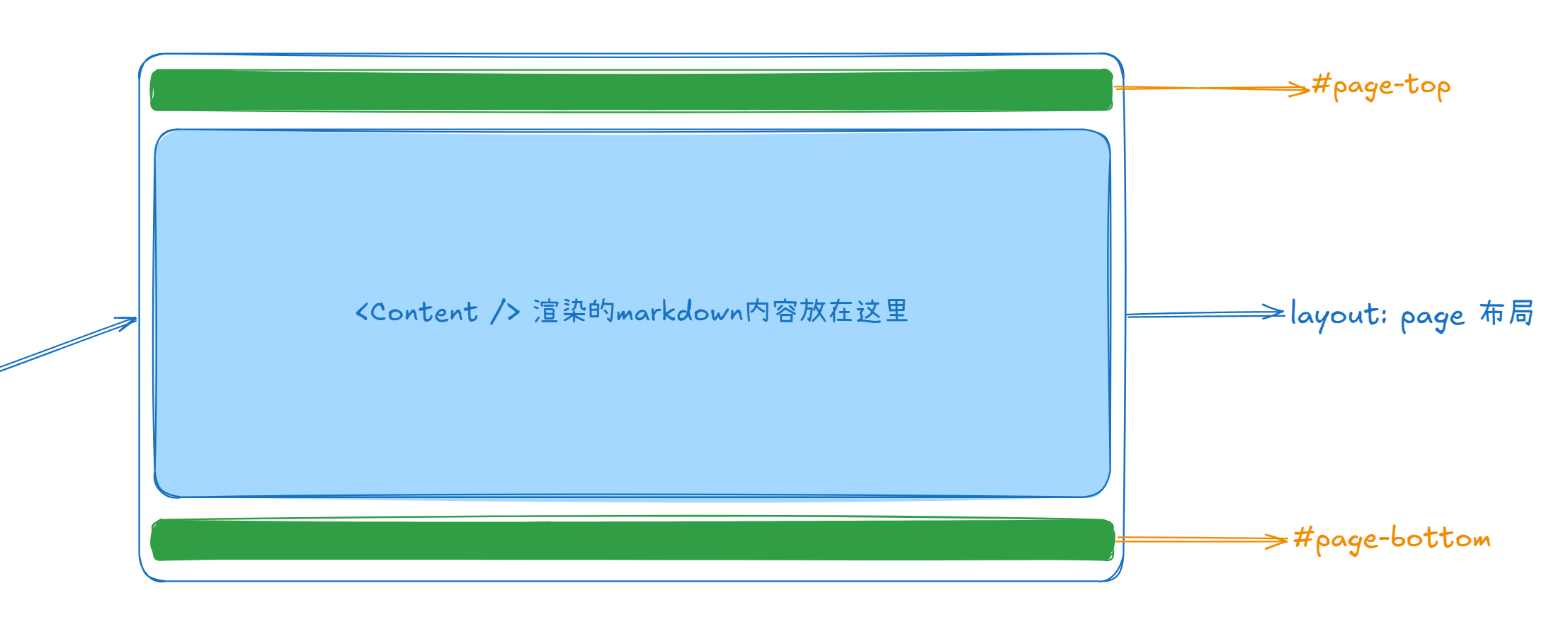
如果用户在 frontmatter 中传入 layout: home 则进入 home 页面布局模式。
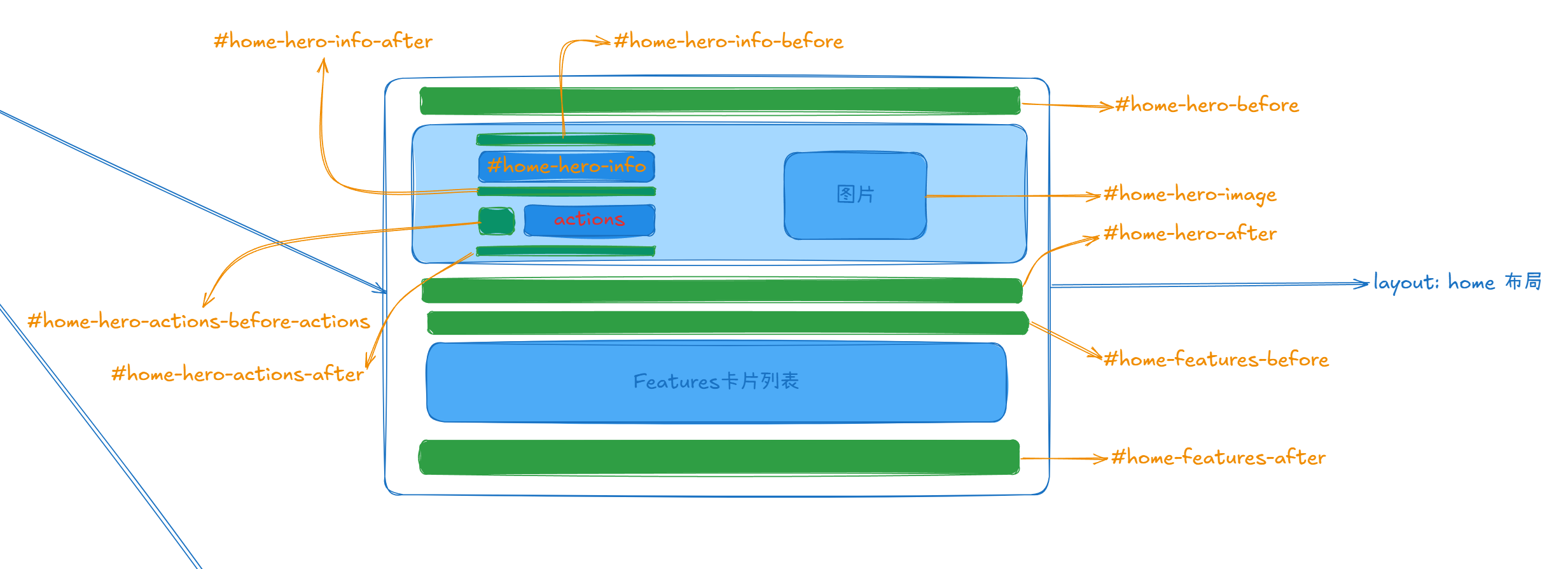
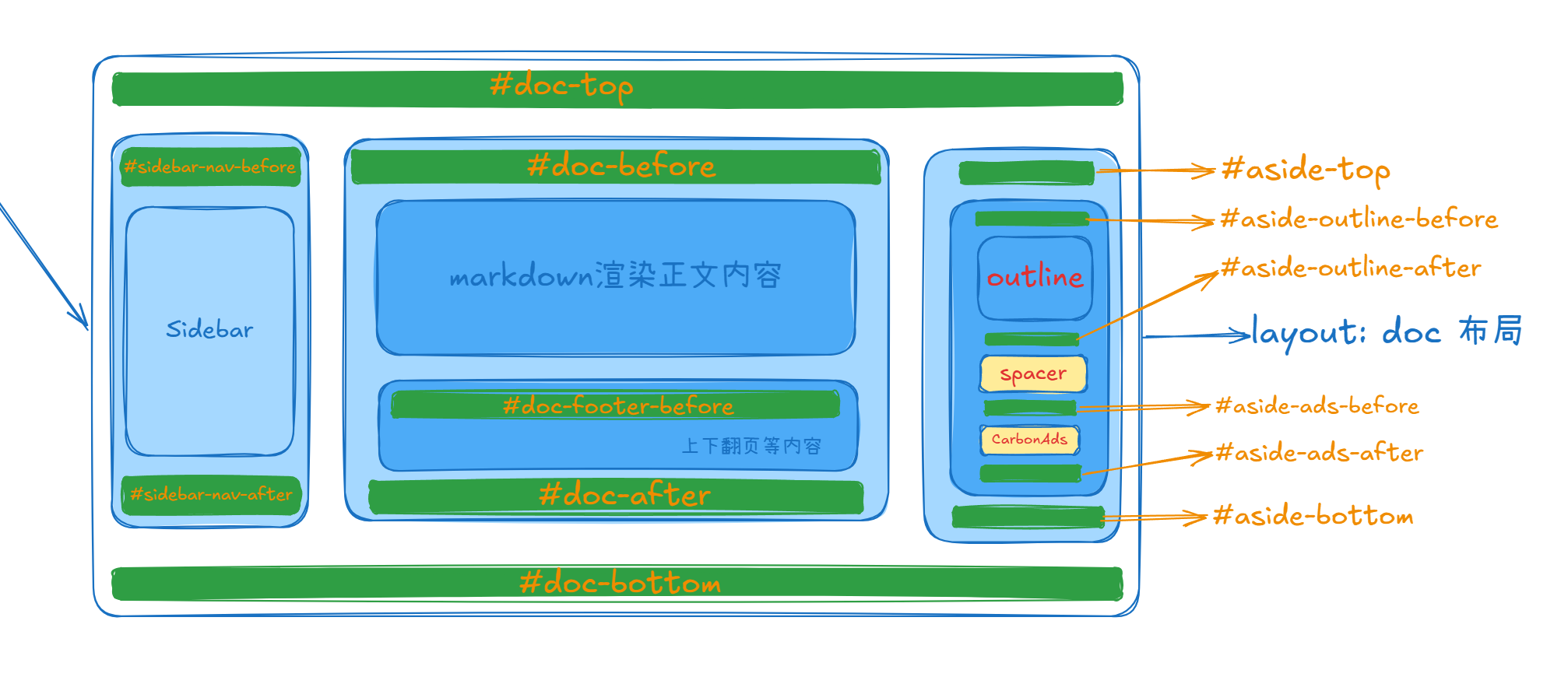
最后,如果用户没有传任一内置的 layout 属性之一(home、doc、page),则会判断是否传入其他自定义布局方式,没有的话,默认启用 layout: doc 页面布局模式。
vue
<template>
  <div
    class="VPContent"
    id="VPContent"
    :class="{ 'has-sidebar': hasSidebar, 'is-home': isHome }"
  >
    <slot name="not-found" v-if="page.isNotFound"><NotFound /></slot>

    <VPPage v-else-if="frontmatter.layout === 'page' && !isRegistered('page')">
      <template #page-top><slot name="page-top" /></template>
      <template #page-bottom><slot name="page-bottom" /></template>
    </VPPage>

    <VPHome v-else-if="frontmatter.layout === 'home' && !isRegistered('home')">
      <!-- ... -->
    </VPHome>

    <VPDoc v-else-if="(!frontmatter.layout || frontmatter.layout === 'doc') && !isRegistered('doc')">
      <!-- ... -->
    </VPDoc>

    <component v-else :is="frontmatter.layout || 'doc'" />
  </div>
</template>